What is Loop Recording on Camera?
If you are a daily user of a camera, you must be aware of the limitation of cameras. Especially when your camera is small and its storage capacity does not meet your requirements. To deal with this problem, the manufacturers created a different method called loop recording. It's a feature that allows the camera to record video continuously.

No matter if the storage capacity is full, the camera overwrites the oldest video with the newest one. This function is most commonly used in dash, security, and digital cameras. There are many benefits of recording a loop video. Some benefits include continuous recording, data management, seamless operation, accident documentation, and constant monitoring.
The loop is used in many scenarios where you need videos like thrilling adventures or security footage. You can enjoy a continuous recording process at times when you cannot use your hand for recording. It's so beneficial!
How Loop Recording Works?
A function like a loop recording the result of the camera's combination of hardware and software. The loop divides the videos into smaller fragments of 3-5 minutes. Each segment contains a different part of the recording.
Storage recording is an excellent issue in small cameras, but the loop recording overwrites the old video with a new one. This way, the recordings in the storage are always the newest ones. When the camera is activated, it continuously records the video without recording.
When each segment is completed, it can be overwritten in case of full storage. Sometimes, the camera and the user can save a specific video. In the case of the camera, if the camera has a G-sensor, it saves the video in case of a sudden impact.
Users can press a button on the camera to mark the video as important. The circular buffer mechanism is like a ring. When data is written to the buffer, it moves along the ring, reaching the oldest data.
It overwrites this data with the new one. The cameras record the video in smaller sections. Each record is between 3-5 minutes. This results in more files, but it reduces potential loss. The overwriting depends on the storage capacity of the camera. The best thing about the camera is that it may automatically save certain recordings in case of an accident.
Key Features of Loop Recording
Recording a loop video offers several of the following key features.
Configurable Loop Duration
Users can dictate the duration of the videos. Depending on users' preference, It can be between 1, 3 and 5 minutes. This way, users can prevent potential video loss as longer segments mean fewer files.
Seamless Video Overwriting
Recording a loop video ensures a continuous and seamless recording experience. This mechanism eliminates interruptions between recordings by overwriting the oldest and latest videos.
Event-Triggered Recording
Many recording cameras come equipped with event-triggered recording capabilities. Their G-sensors automatically save the specific video in case of a collision.
Compatibility with Different Cameras
Loop recording can be found in various dash, security, and digital cameras. Its versatility is a widely adopted solution for continuous recording in many scenarios.
Advantages of Loop Recording
When it comes to advantages, loop recording offers several of them. The most prominent is continuous monitoring and video recording. This ensures there is no interruption in the video.
Overwriting the old videos is also an advantage. If the storage is full, the settings overwrite the old video with the new one. This ensures there is always space for a new video in the camera.
Moreover, continuous recording ensures that no gaps exist within the recording. This is beneficial in case of any break-in, and the best thing about this recording is that it is automatic.
Users do not need to manually handle the file continuously. Last but not least, the camera automatically saves the specific incident recording in case of an accident.
Implementations of Loop Recording in Various Devices
The continuous recording feature is implemented in many devices to enhance their functionality.
Loop Recording in Action Cameras
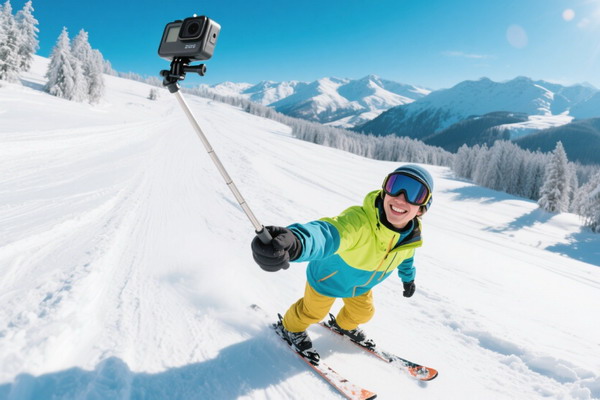
Action cameras record our adventures without interruption. They ensure that the thrilling moments of our journey are safe and ready to be watched at any time.

Loop Recording in Body Cameras
For law enforcement and security personnel, the loop recording guarantees continuous recording during their duties. This saves crucial evidence and ensures the safety of every person in case of an accident.
Loop Recording in Dash Cameras
Dash cameras continuously record our journey using the continuous recording method. However, these recordings are always the latest, so we can remain safe in an accident.
Loop Recording in Security Cameras
In security cameras, it provides continuous, uninterrupted videos. In this way, you get a chance to maintain peace of mind that remains the top priority of every user.
Choosing the Right Loop Recording Settings
For loop recording, it is essential to find the best option available. Select short video recording options for optimal results. However, it may create more records and keeps important data safe. After recording, don't forget to adjust video quality and resolution to decrease the file size. No doubt, high-quality videos consume more storage compared to low-quality.
Also, you can turn event triggering on or off. These options keep important segments from being overwritten. Users can make informed choices and maximize storage capacity through loop recording.
Potential Drawbacks and Limitations
Benefits aside, knowing the potential drawback and limitations of recording a loop video is best. The first risk may be the overwriting of important videos. This may result in the loss of important data. Identifying and handling critical events might be difficult if the event-triggered loop is inactive.
Another consideration is the impact on storage lifespan. Frequent overwriting can shorten the lifespan of storage devices like memory cards. By understanding these limitations, users can take measures to mitigate risks and ensure loop recording remains a reliable and effective feature in their devices.
Tips for Using Loop Recording Effectively
To make the most of loop recording, consider these helpful tips. Choose a high-quality SD card with a sufficient battery. The card's main purpose is to ensure continuous recording. Regularly maintain the SD card to ensure that it is in optimal condition.
Combine loop recording with event triggering or time lapse mode to enhance its effectiveness. Following these tips, the recording becomes a powerful and reliable tool for smooth video recording.
Conclusion
Loop recording is an incredible and valuable feature, especially today. With this feature, a user can ensure his and his family's safety in many situations. Moreover, this continuous recording is also for those who prefer outdoor adventures. If we talk about advantages, it is valuable enough for the users who desire it. We highly recommend using SJCAM action cameras for loop recording purposes. It ensures you never miss a moment of your adventures and can relive them without worrying about managing storage.
Mastering Underwater Photography: Experience a Wonderful Underwater Journey
Mastering Low-Light Photography: Techniques and Tips for Stunning Nighttime Shots