Exploring EIS Cameras: a Comprehensive Guide to Electronic Image Stabilization
In today's fast-paced digital world, shaky videos can easily ruin otherwise great content. Whether you're recording a travel vlog, capturing an action-packed sports adventure, or filming everyday moments, stability is essential for producing smooth, professional-looking footage.
This is where Electronic Image Stabilization (EIS) comes in. Built into many modern smartphones, drones, and action cameras, EIS uses smart software to reduce unwanted shakes and vibrations. In this article, we'll explore how EIS works and compare it with other stabilization methods like OIS and gimbals, show you how to enable it, and recommend some of the best EIS cameras available today.

What is EIS on a Camera?
An EIS camera uses electronic image stabilization to reduce shakes and vibrations in video footage. Unlike bulky stabilizing gear, EIS relies on software algorithms, making it popular in compact devices like smartphones, drones, and action cameras.
When recording handheld or in motion, even slight tremors can spoil footage. EIS cameras correct jitter automatically, resulting in smoother and more professional-looking videos.
Unlike mechanical stabilization methods, EIS uses digital processing. Motion sensors (gyroscopes) detect movements in real time, and the software compensates by shifting or cropping frames to stabilize the output.
Process Overview
Detection
Sensors monitor camera movement in real time.
Correction
Software shifts or crops the frame slightly to counteract motion.
Output
The final video appears stable, even if the environment or your hands are not.
Note: EIS does reduce the field of view slightly, since the image must be cropped to allow adjustment space.
How Do I Turn On EIS?
Most modern smartphones and cameras include EIS in their video settings. To enable it:
1. Open Camera Settings.
2. Look for Stabilization or EIS under the video menu.
3. Toggle it on (sometimes labeled "Steady Shot" or "Anti-Shake").
Tip: Enabling EIS may slightly crop your frame, but the trade-off for stable footage is well worth it.
What’s the Difference between Gimbal and EIS?
A gimbal is a hardware stabilizer that balances the camera using motors. While gimbals deliver cinematic-level smoothness, they are often bulky, costly, and require charging.
By contrast, EIS cameras integrate stabilization digitally, offering portability and convenience.
|
Feature |
Gimbal Stabilization |
Electronic Image Stabilization |
|
Technology |
Mechanical (Motors) |
Digital (Software) |
|
Portability |
Bulky, Needs Power |
Lightweight, Built-in |
|
Cost |
Expensive |
Affordable |
|
Field of View (FOV) |
Full FOV |
Slightly Cropped |
|
Use Case |
Professional Film-Making |
Everyday Shooting, Sports, Travel |
If you want cinematic, professional film-making, a gimbal is still the best option. But for everyday recording, sports, and travel where mobility matters, EIS is the more practical choice.
What’s the Difference between OIS and EIS?
Another common stabilization method is Optical Image Stabilization (OIS). Unlike EIS, OIS uses mechanical adjustments within the lens or sensor to counteract motion.
- OIS works best for still photography, especially in low light, as it prevents blur during longer exposures.
- EIS excels in video, where continuous, real-time correction is needed.
- Combination: Many high-end devices now combine both OIS and EIS for the best results.
If your main focus is photography, OIS is the better option. For video recording, especially in motion, EIS is more effective.
What are the Best EIS Cameras?
SJCAM SJ11 Active
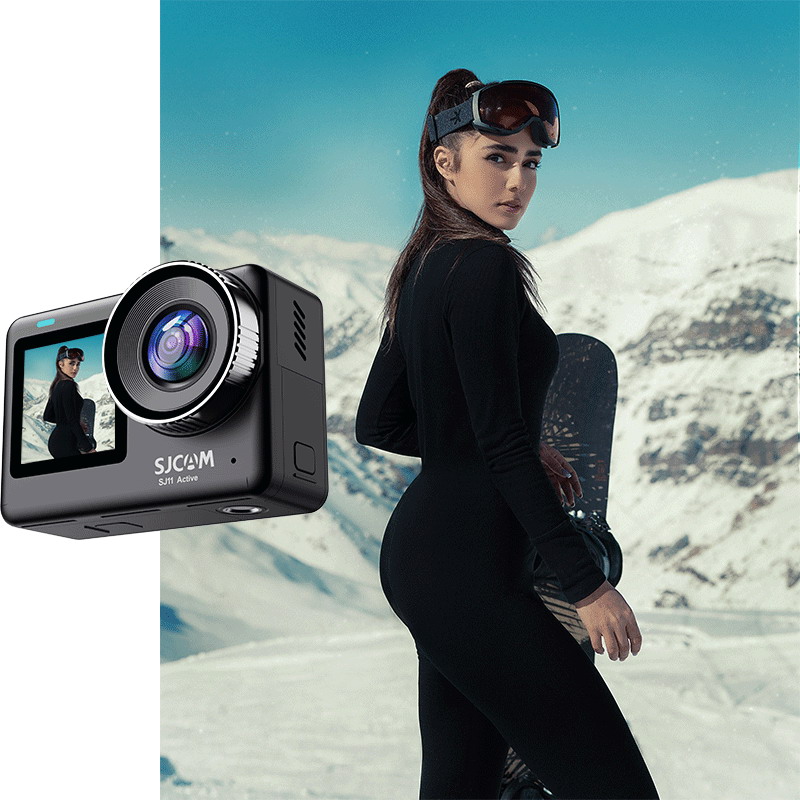
- Shoots 4K video with advanced 6-axis EIS.
- Compact, waterproof, and built for outdoor sports.
- Long battery life and great value for money.
Why We Recommend It
The 6-axis stabilization produces smooth and stable footage, making it perfect for cycling, surfing, skiing, and other extreme sports. Its portability and rugged design make it a versatile companion for adventure creators.
SJCAM SJ8 Pro
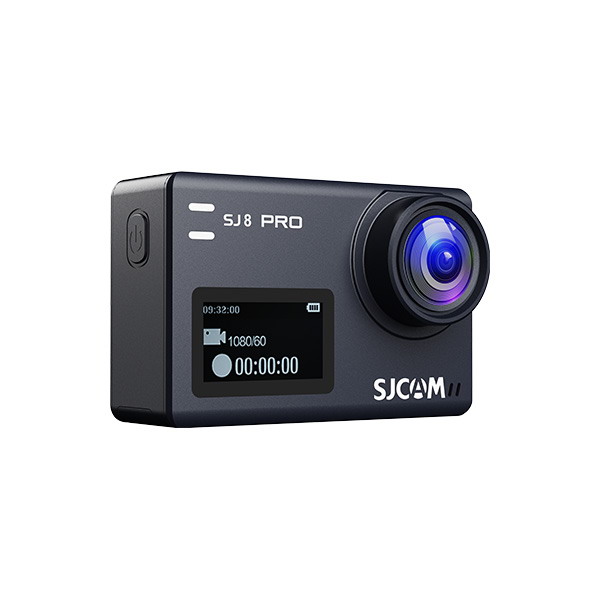
- Records professional 4K at 60fps.
- Combines advanced EIS with a high-quality sensor for crisp, detailed footage.
- Ideal for vloggers, travelers, and athletes.
Why We Recommend It
Its advanced EIS ensures buttery-smooth motion, even in fast-paced environments like mountain biking or snowboarding. Paired with 60fps recording, it delivers professional-grade results without the need for external gear.
Conclusion
Electronic Image Stabilization offers a smart, lightweight, and affordable way to capture professional-looking footage without bulky equipment.
- Gimbals are best for filmmakers.
- OIS is best for still photography.
- EIS strikes the balance for action, travel, and everyday video recording.
For anyone seeking compact yet powerful stabilization, cameras like the SJCAM SJ11 Active and SJ8 Pro are excellent choices.
How to Make Time-Lapse Videos: a Complete Guide
Understanding Image Stabilization in Cameras: Everything You Need to Know